DraftHeadingsLists and tablesCode
Text
Headings, lists, checklists, tables and code.
One folder for you and your agent
Write the way you would in any notepad — there is no markup to learn. Every note is a plain file. Your agent writes into the same folder, and you see it the moment it lands.
You ask an AI for a summary or a report. It saves a file somewhere on disk, and you end up reading it in chat, one chunk at a time. FFnotes closes that gap: the agent writes into a folder, you open the folder and read it properly.
Format with the toolbar and the markup writes itself. Your notes stay ordinary .md files in ordinary folders.
Headings, lists, checklists, tables and code.
Wrap-up: launch on Friday,
call in the morning.
Links, images, underline, colour highlighter.
my.ffnotes.io/s/...CopiedA public link to any note, in one click.
Folders as deep as you like, drag to move, rename in place.
Tags, search, favourites, pinned notes and sorting.
The whole archive as plain .md files. Take it and open it anywhere.
Not a locked format and not somebody else's database: plain .md files in plain folders.
Download the folder and the whole archive is yours. It opens in any editor and does not depend on what happens to us.
During the beta the folder lives on our side. Desktop apps will open folders straight from your own disk.
Connect an agent to your space — today that is Hermes, and the list is growing. It reads the same notes you do, so there is no history to re-explain. And its memory is files you can see and edit yourself.
A thought lands in an ordinary note.
Folders and tags sort it out.
It gets access to that same folder.
From here the archive grows with two authors.
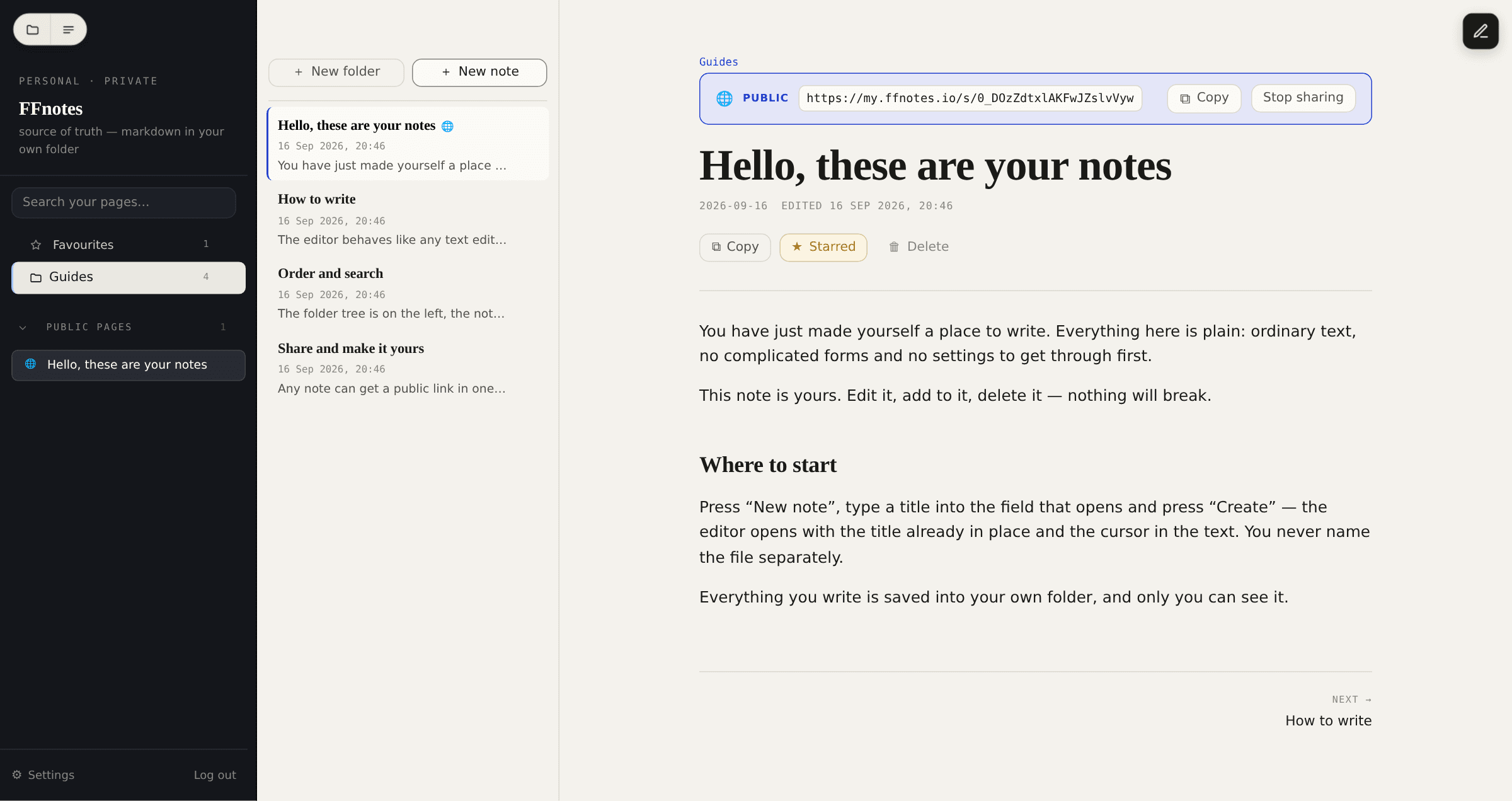
Folders, notes and text on one screen. No databases, no properties, no templates. On a phone the same three areas open one at a time.
The two F letters stay. Everything else changes.
A note stays a plain .md file in a plain folder, not a row in somebody else's database.
No required fields, no properties, no templates. Add structure yourself, when you want it.
Connect a folder and start working. No database to set up, no plugins, no markup.
One folder for you and your agents. No copies, no syncing — the files are the same files.
The site installs on a phone like an app — nothing to download. Desktop apps will open folders straight from disk and add more AI agents.
Every note is an ordinary .md file in an ordinary folder — the same thing any text editor would give you. During the beta that folder lives in FFnotes storage; once the desktop apps ship you will be able to open exactly the same folder on your own disk.
Yes, whenever you like. These are plain .md files, not records in a closed database — download the whole folder and open it in any editor on any device. There is no special "export" to go through.
Any agent that can read and write files: Hermes, Claude, ChatGPT, OpenClaw and others. No special API is needed — the agent works with the same folder of .md files you see, and its edits show up in the interface right away.
Then it is simply a good place to keep notes — folders, tags, search and a fast editor with no markup to write. The agent is an option that changes nothing until you turn it on: without it, FFnotes is an ordinary notebook.
No. You format with the usual toolbar or keyboard shortcuts — headings, lists, links — and the Markdown appears in the file on its own, without you ever typing it.
No. There are three areas on screen — the folder tree, the note list and the editor — and no databases, properties, templates or plugins to configure first.
The open beta is free, with no card required. There are no paid plans at all yet.
Early beta
Free, no card. You will still meet the odd bug, but it is ready for everyday use.
Start freeAlready have an account? Log in